Coursify
Personal Project
7 days
2025
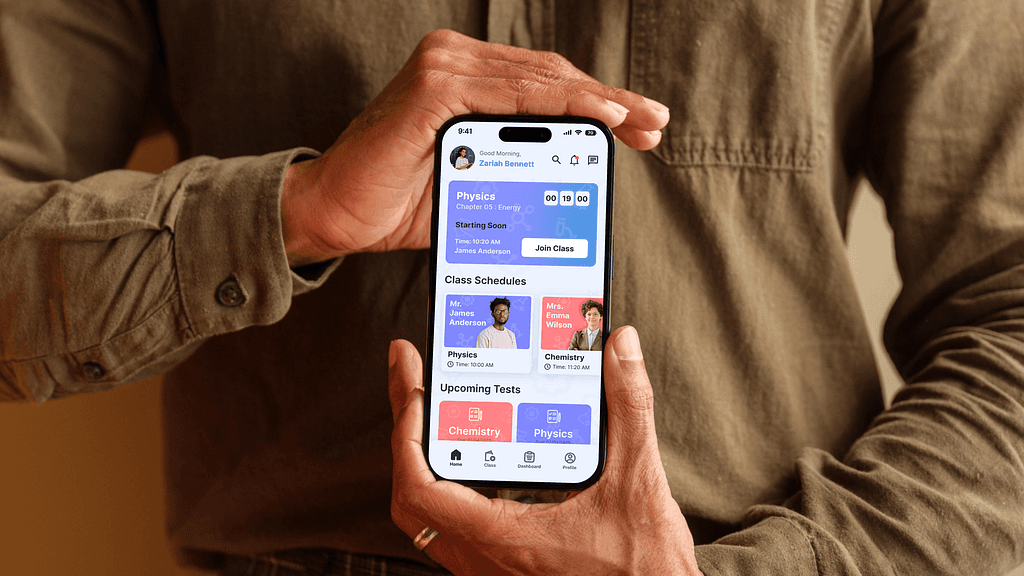
An all-in-one educational mobile app built for students to manage their studies, attend live classes, track performance, complete assignments, and improve results. Designed with a focus on simplicity, motivation, and better learning habits.
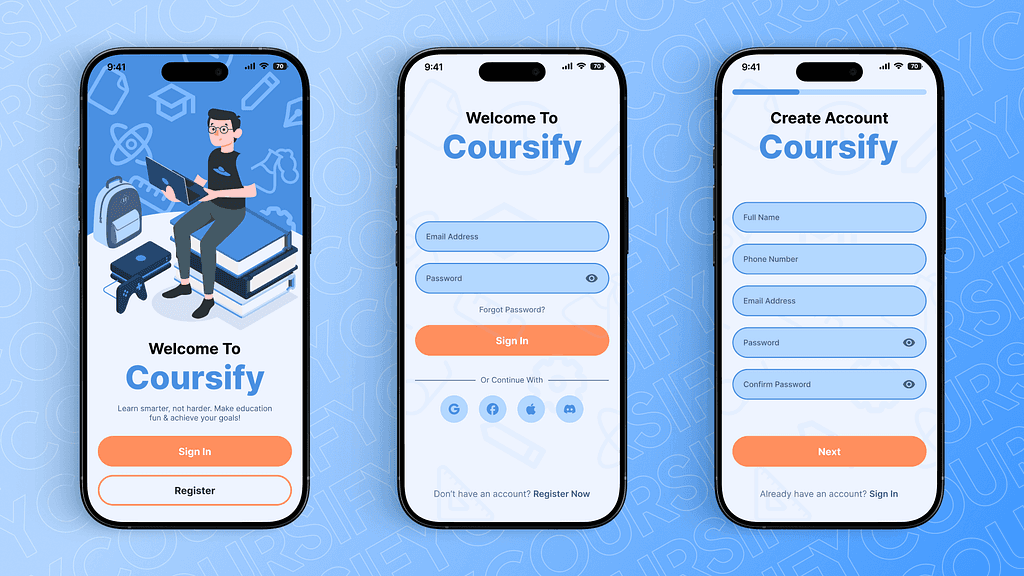
Splash screen
Minimal intro featuring the app logo and tagline. Sets the tone and builds identity before redirecting to sign-in or register.
Login Page
Simple form with email/phone and password fields. Includes "Forgot Password" link and alternate option to register for new users.
Register Page
With clean layout with input fields for name, email/phone, password, and confirm password. Choose Class. Ends with a "Register" button leading to onboarding or home.
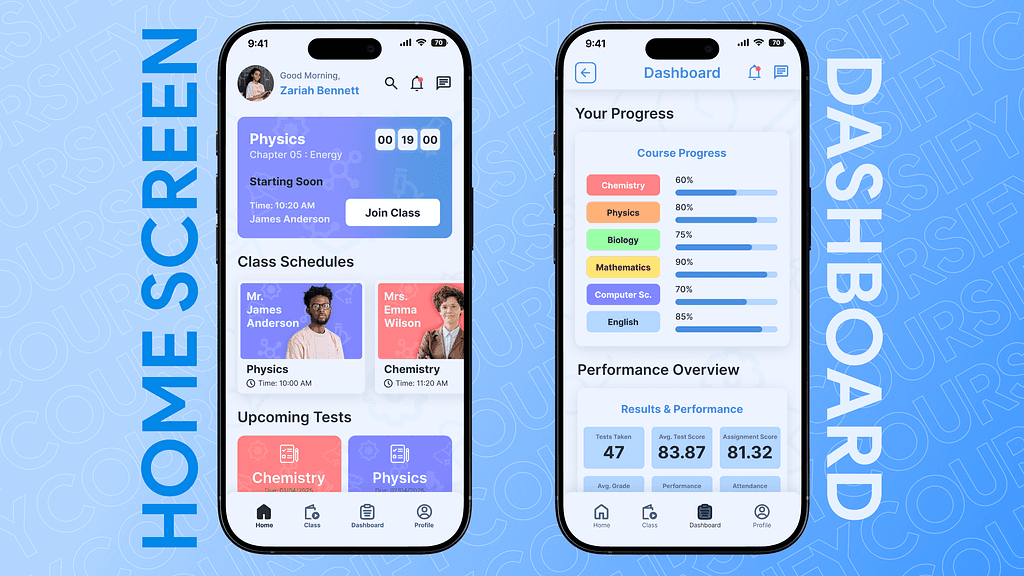
Homepage:
Ongoing & Upcoming Classes: So students can instantly join or prepare.
Upcoming Tests: Upcoming test for the students to test themselves.
Top Students / Leaderboard: Adds a motivational touch.
More Courses: Discover new subjects or skill-based lessons.
FAQs: Answering all the frequently asked que by students
Dashboard page:
Course Progress: Progress bars for the ongoing course.
Average Marks, Grades, Attendance (with graphs): Quick overview of academic health.
Assignments Due: Upcoming or missed assignments listed for easy access. It's like a control center to track performance and progress at a glance.
Class Notes: Class notes of each latest classes for the students.
Achievements/Badges: Encourages progress with visual rewards.
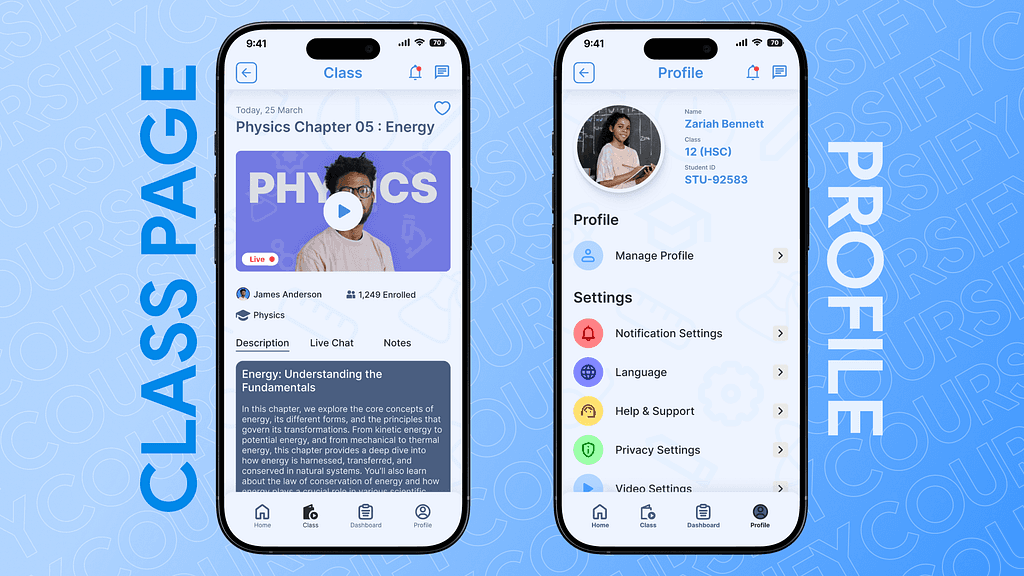
Class Page:
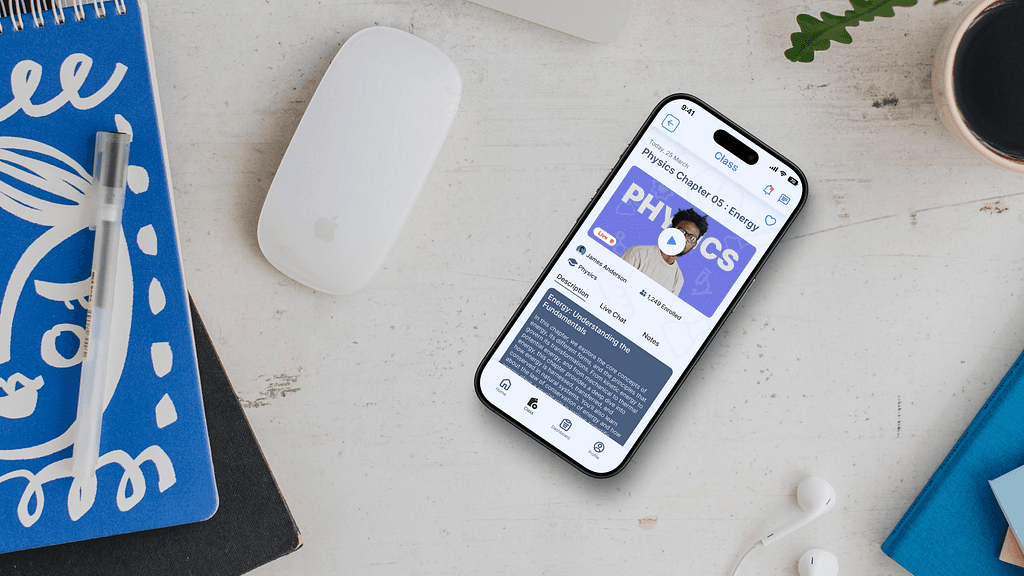
Video Section: For live or recorded class content.
Teacher Info & Subject Name: So students know who’s teaching and what the topic is.
Switchable Tabs:
Description: Class overview or lesson summary.
Live Chat: For interacting during or after the session.
Notes: A space to upload/view personal or shared notes. Built for learning + interaction, all in one place.
Profile Page:
Profile Image, Name, Email/Phone
Manage Profile: So users can change their details.
App Settings: Privacy settings, notification preferences, etc.
Sign Out Button: Clean and accessible at the bottom. Gives a personal touch while offering basic controls and info.
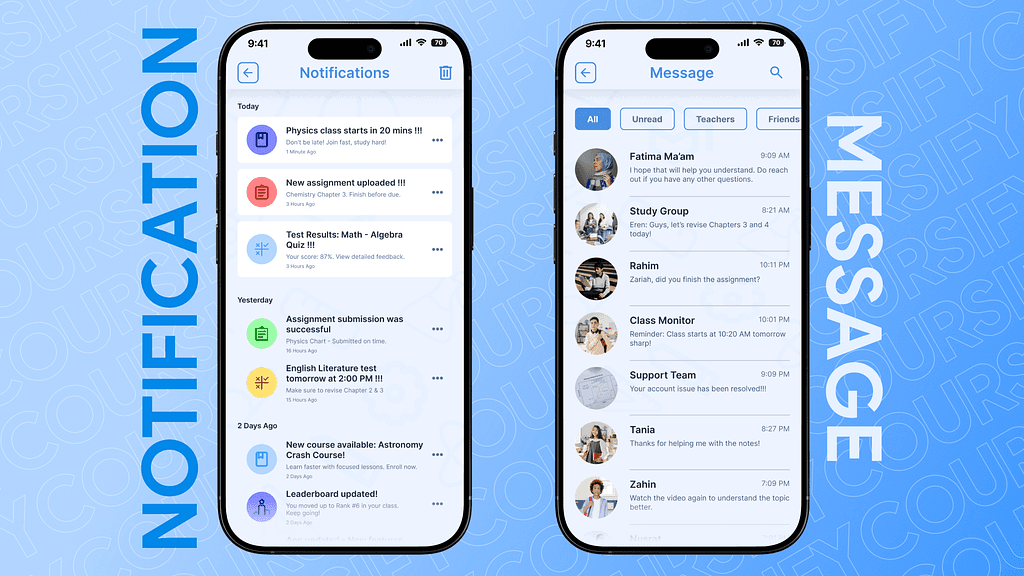
Notifications Page
The page contains Organized updates for classes, assignments, test results, and announcements. Grouped by date (Today, Yesterday, etc.) to help students quickly catch up on important activities.
Message page
A simple and clean chat interface for students to connect with teachers or classmates. Shows recent conversations, message previews, and unread indicators for better communication and collaboration